


Girls Nail Salon - Kids Games
4.5938.00 Reviews
App Specs
- Version
- 1.69
- Updated On
- License
- Free
- Downloads
- 10,000,000+
- Developer
- Pazu Games
- Categories
- Educational
- Platform
- Android, iOS
Screenshots
 Analysis by AppCompare
I find Girls Nail Salon - Kids Games works best as a small, low-pressure creative game rather than a realistic nail-design tool. Its appeal is immediate: choose a look, experiment with color and decoration, and enjoy the finished result without needing to know anything about manicure techniques. That makes it a pleasant fit for children who like visual play, and for an adult who wants a brief, gentle distraction. It is less convincing if you are looking for deep progression, a demanding challenge, or a practical guide to doing your own nails.
That distinction matters because “educational” can mean very different things in a game. Here, the learning is mostly about making choices, noticing how colors and patterns work together, and following a simple creative process. I would treat it as an invitation to imagine and experiment, not as a lesson in hygiene, nail care, or professional salon skills.
First Impressions: A Colorful Wonderland
Opening up Girls Nail Salon - Kids Games is like stepping into a vibrant, glittery wonderland. The app boasts a user-friendly interface that’s as inviting as a candy shop. Everything is super colorful, from the palettes to the tools, making it an instant hit for anyone who loves a bit of sparkle.
What immediately caught my eye was the smooth navigation. Kids can easily jump from one feature to another without getting lost in a maze of options. It’s a paradise where creativity meets simplicity, and that’s a win-win in my book.
This straightforwardness is useful in a shared setting, too. A child can pick up the game and start exploring without an adult needing to explain a complicated menu first. For younger players, I’d still stay nearby the first time, especially to help distinguish the creative play from any options that may lead to in-app purchases. The game is free to start, while in-app purchases are available, so it is sensible for a parent to check the purchase settings on the device before handing it over.
Unleash Your Creativity
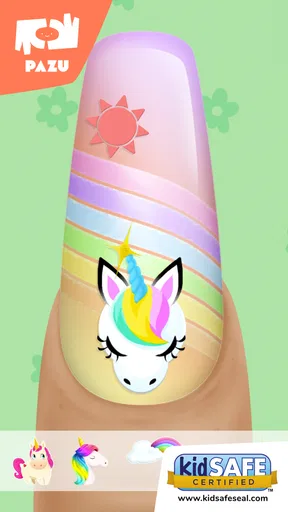
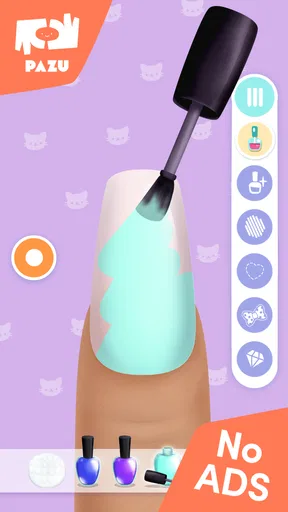
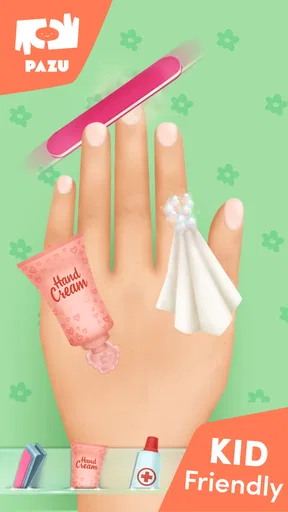
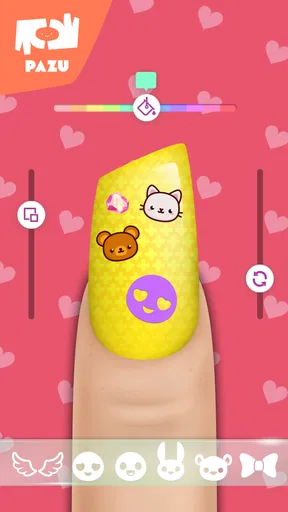
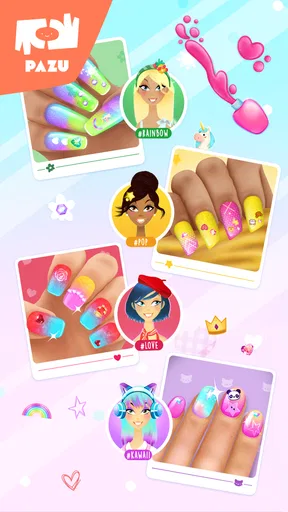
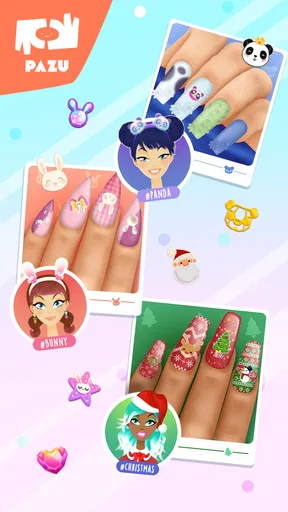
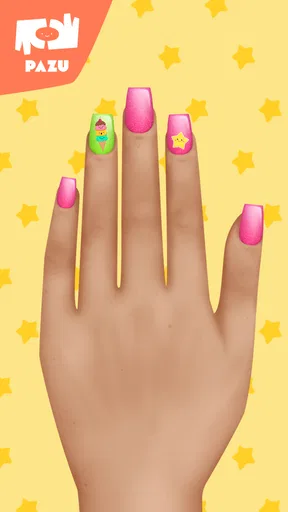
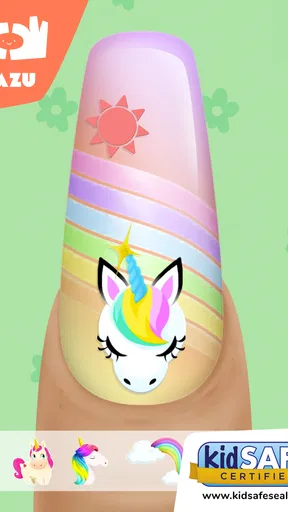
The heart of the app lies in its creativity tools. You get to play with a plethora of nail polish colors, patterns, and decorations. Want to rock a neon green with a zebra pattern? You got it! Or maybe a classic red adorned with tiny rhinestones? The possibilities are endless.
One of the features I absolutely love is the "Design Your Own" section. Here, you can let your imagination run wild, creating designs that are as unique as you are. It’s a fantastic way to express yourself and perhaps even find your personal nail art style.
Worth Reading Before You Choose

Flipboard Shows What News Apps Must Do Beyond the Feed

Switching to Android Auto Means Rethinking Your Driving Routine

Google Calendar Makes a Crowded Week Easier to Manage

Ludo King Makes the Most of the Minutes Between Plans

Baby Panda World Brings Quick Play to Modern Phones, but Its Game Library Feels Busy

ESPN’s Live Game View Makes Following Close Games Easier
A useful way to make this kind of play feel more intentional is to set a tiny design brief before starting: choose a color for a particular mood, make a look inspired by a favorite outfit, or try to use a pattern without letting it overpower the polish. That turns a quick tap-through into a simple creative exercise. It also gives a child a natural chance to explain why they chose each element, which can make playing together more engaging than simply praising the finished screen.
I would not expect the designs to translate directly into real-life manicure instructions. The enjoyable part is visual experimentation, not practicing a sequence of salon techniques. If your goal is to plan a look before painting real nails, the game may spark ideas, but a real nail-art tutorial or a dedicated design reference will be more useful for learning application, tools, and care.
Fun for All Ages
While it’s labeled as a kids' game, don’t let that fool you. This app is just as engaging for adults looking to unwind after a long day. It’s like a digital coloring book for your nails, minus the mess of actual polish. Plus, it’s a great way to bond with little ones over some creative fun.
The app also includes easy-to-follow instructions and guidance, making it accessible for even the youngest of users. It’s designed to inspire and educate, turning anyone into a mini nail artist in no time.
In everyday use, I can picture it filling a short wait at home or occupying a child during a quiet moment when a more involved game would be too much. It suits brief sessions because the basic pleasure is in choosing and combining visual details; there is no need to set aside a long stretch of time to understand a complicated system. For a family, taking turns inventing a theme can keep the activity social: one person suggests a color mood, and the other tries to build a look around it.
The trade-off is that the game’s simplicity may not hold every child’s attention for long. A player who wants levels, a strong story, competitive goals, or a clear sense of skill mastery may prefer a different kind of game. Likewise, adults who want an involved creative app with precise controls and a broad design workspace may find this more like a light toy than a serious art tool.
In-App Surprises
What’s a game without a few surprises, right? Girls Nail Salon has a range of mini-games and challenges that keep things fresh and exciting. Completing these challenges earns you rewards that can be used to unlock exclusive nail art tools and decorations.
These little surprises add a layer of engagement that keeps users coming back for more. It’s not just about painting nails; it’s about embarking on a creative journey.
Unlocking content can give a child a reason to return with a new idea, but it also changes the feel of the experience: some choices may depend on progress or purchases rather than being immediately available. I’d encourage a younger player to enjoy what is open first instead of treating every locked item as a target. That keeps the focus on making a design with the choices at hand, which is often more creatively satisfying than chasing every decoration.
For a parent deciding whether it is appropriate, the game is rated Everyone, and its child-oriented presentation is clear. The practical question is less about whether the theme is suitable and more about managing device use and purchases. I would review the purchase controls on the device and agree on whether spending is allowed before play; the game’s free entry does not mean every optional item is free.
What It Does Well—and Where It Stops
The strongest evidence for the game’s appeal is its accessible, visual approach. Pazu Games has made a beauty-themed creative game that does not ask players to master complicated controls before they can make something. Its average rating is 4.4 from around 56,000 ratings, and it has passed 10 million installs, suggesting that this uncomplicated format has found a sizeable audience. Those figures are context, not a guarantee that every child will enjoy it: taste matters more than popularity here.
Compared with a general coloring game, this one gives the activity a focused theme and a recognizable result: a decorated nail design. Compared with a realistic salon simulator, it is lighter and more immediately playful, with less emphasis on procedure. That middle ground is its clearest strength. It is more specific than free-form coloring, but it should not be mistaken for an in-depth simulation or a substitute for craft materials and hands-on making.
There are also sensible reasons to choose another option. A child who prefers drawing whole scenes may get more room to explore in a conventional art app. Someone who wants to learn real nail techniques should look for practical instruction. And if a household is trying to avoid purchase prompts altogether, a fully offline activity such as paper-and-pencil design may be a better fit. I see this game as a compact source of themed inspiration, not a universal creative solution.
Before installing, it is worth checking device compatibility: the current version is 1.67 and requires Android 6.0 or later. The game is free to download, with in-app purchases ranging from $6.49 to $59.99 per item. It was released on February 11, 2020, and the developer is Pazu Games. These details help set expectations, especially for families weighing an easy-to-try game against optional spending.
The Verdict
At the end of the day, Girls Nail Salon - Kids Games is a delightful escape into creativity and fun. Whether you’re a kid or just a kid at heart, this app promises hours of entertainment. Its vibrant design, coupled with an endless array of options, makes it a standout choice for anyone interested in nail art.
If you’re looking to unleash your inner artist or just pass the time with a bit of sparkle, give this app a whirl. It’s a colorful, creative playground that’s sure to brighten up your day. Ready to dive in and create your masterpiece? Download the app and let your imagination take the lead!
My recommendation is specific: try it if the person playing enjoys styling, color combinations, and making small visual choices without pressure. It is especially handy as a brief shared activity, where an adult can help a child explore ideas and keep purchases in check. Skip it if you need a realistic manicure lesson, a sophisticated drawing studio, or a game whose main appeal is long-term challenge. For its intended kind of light, decorative play, it offers an approachable starting point; its limits are simply part of what keeps the experience easy to enter.
Pros
- Engaging for young kids
- boosts creativity.
- Wide range of colors and nail designs.
- Simple
- intuitive interface for easy use.
- No in-app purchases
- fully free experience.
- Encourages imaginative play and design skills.
Cons
- Limited to basic nail design features.
- Contains ads that might interrupt gameplay.
- No option for multiplayer or sharing designs.
- Graphics may not appeal to older kids.
- Some repetitive elements in gameplay.
FAQs for Girls Nail Salon - Kids Games
What is the main objective of Girls Nail Salon - Kids Games?
Girls Nail Salon - Kids Games is designed to provide a creative and fun virtual salon experience for children. The main objective is for players to design and decorate nails using a variety of colors, patterns, and accessories, fostering creativity and artistic skills in a kid-friendly environment.
Is Girls Nail Salon - Kids Games safe for children to play?
Yes, Girls Nail Salon - Kids Games is designed with children in mind. It features age-appropriate content and is free from any harmful or inappropriate material. The user interface is intuitive and easy for young children to navigate, ensuring a safe and enjoyable experience.
Does the game include in-app purchases or ads?
Girls Nail Salon - Kids Games may include in-app purchases and advertisements. These are typically for unlocking additional features, designs, or ad-free gameplay. Parents should be aware of these options and may want to set up parental controls to prevent accidental purchases.
Can Girls Nail Salon - Kids Games be played offline?
Yes, Girls Nail Salon - Kids Games can be played offline. This allows children to enjoy the game without needing an internet connection, making it perfect for on-the-go entertainment in areas where connectivity might be limited.
What platforms is Girls Nail Salon - Kids Games available on?
Girls Nail Salon - Kids Games is available for both Android and iOS devices. Users can download the app from the Google Play Store for Android or the Apple App Store for iOS, ensuring compatibility with a wide range of smartphones and tablets.


